Local yt-dlp engine
Parsing and downloading run on your Mac, powered by yt-dlp site extractors, with ffmpeg merging audio and video automatically. No relay server sits in between.
Local download · On-device transcription
FramePool downloads from YouTube, Bilibili, Xiaohongshu and 1,000+ sites with a local yt-dlp engine. When there are no subtitles, built-in whisper.cpp turns speech into text — video and audio never leave your Mac.
Features
From parsing to export, the important work happens locally. The network is only used to reach video sites and fetch models.
Parsing and downloading run on your Mac, powered by yt-dlp site extractors, with ffmpeg merging audio and video automatically. No relay server sits in between.
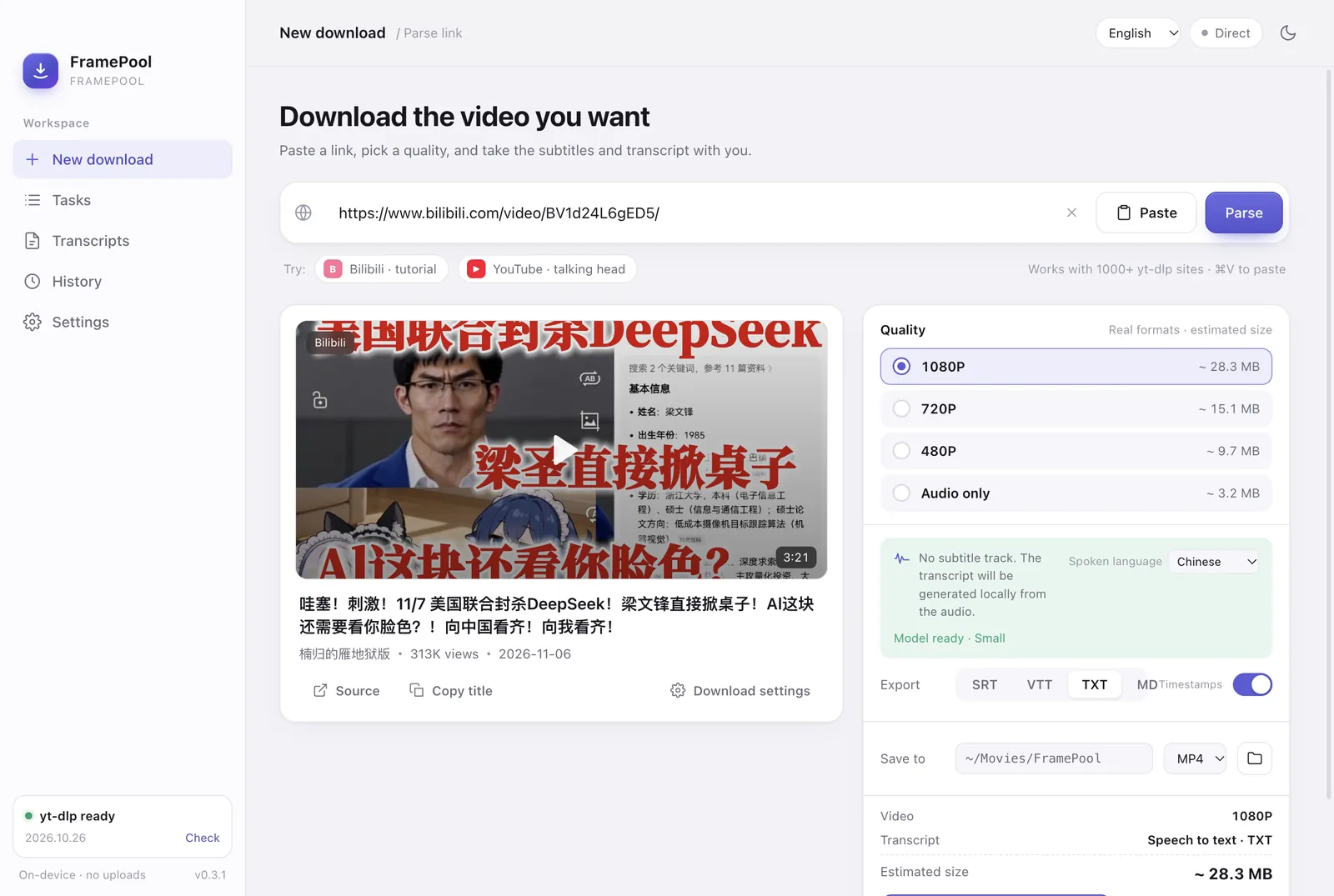
Options come from the video’s real format list, not a fixed menu. Each tier shows an estimated size: Best, 2160P, 1440P, 1080P, 720P, 480P, audio-only, and an H.264+AAC compatibility mode.
Set concurrency from 1–4. Every job has progress, speed, ETA, cancel and retry; interrupted downloads resume when the connection returns.
Export SRT, VTT, TXT or MD. Rolling auto-captions are de-duplicated, and transcripts are split into sentences and pauses for reading or feeding to an AI.
Xiaohongshu and some Bilibili videos have no captions. Built-in whisper.cpp turns speech into text locally. Models: Small (~181MB), Base and Medium; audio never leaves the Mac.
Read sign-in state from Chrome, Safari, Edge, Firefox or Brave and see “Configured · time”; cookies.txt also works. Proxy follows macOS by default, with http/socks5 and a connectivity test.
Platforms
YouTube, Bilibili, Xiaohongshu (RED) and 1,000+ sites supported by yt-dlp. Available qualities and formats depend on the site and the specific video.
YouTube
Formats and captions
Bilibili
HD, captions and sign-in state
Xiaohongshu (RED)
Transcribe videos with no subtitles
1,000+ sites
The long tail, handled by yt-dlp
Note: collections currently resolve the first video; DRM and paywalls are not bypassed.
Get started
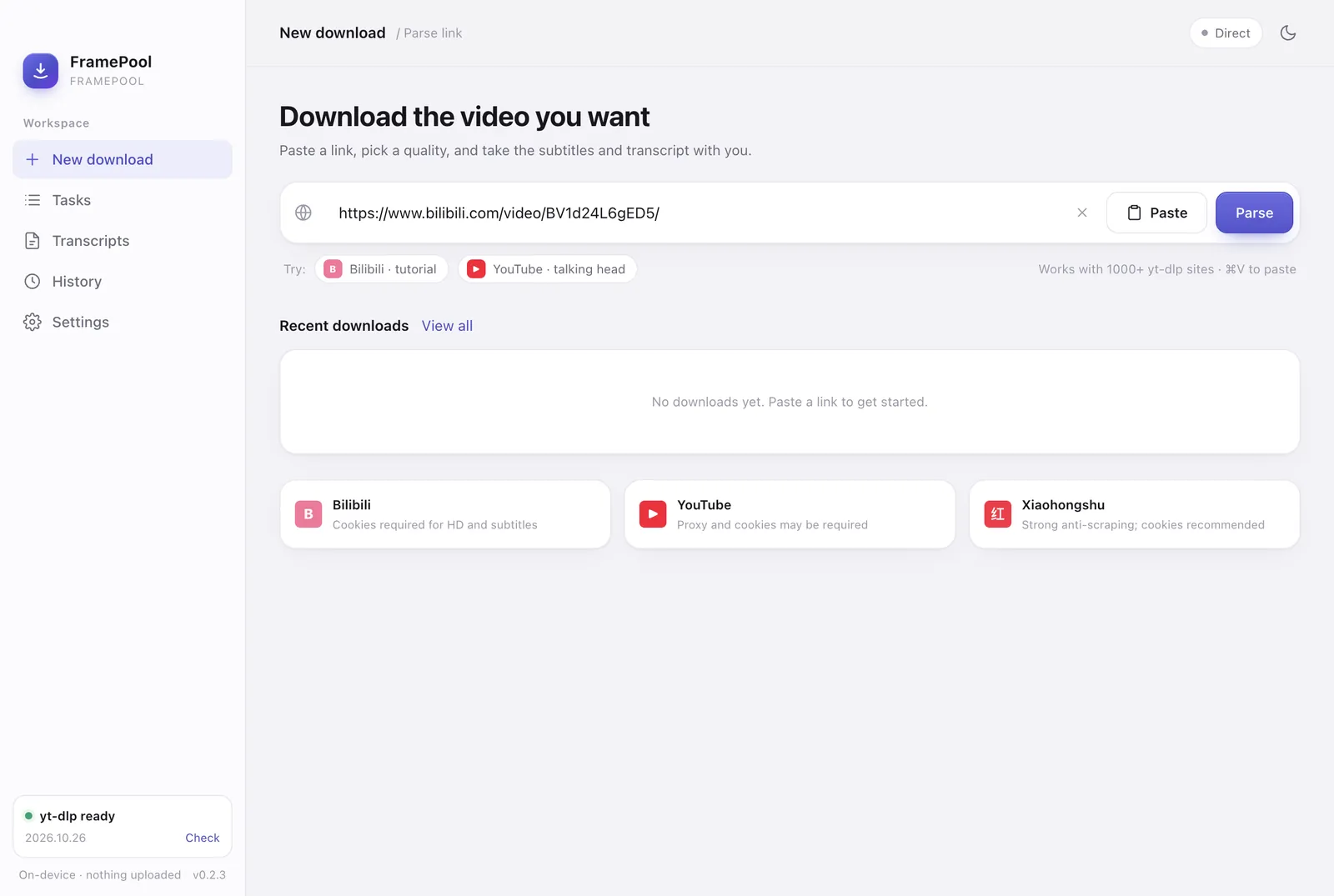
Paste, choose, start. There is no upload step and no account to create.
Copy a link from an app, browser or share sheet. Pasted text is scanned automatically for the URL.
Options come from the video’s real formats with estimated sizes. Pick compatibility mode when you need QuickTime playback.
Queue the video and subtitles, or generate a transcript locally and export it as SRT, VTT, TXT or MD.
Interface
Real app screenshots, not renders. Queue, formats, subtitles and transcription settings all live in one place.
FAQ
Clear answers on privacy, models, formats and sign-in state.
Yes. FramePool is a free local tool with no account, subscription, in-app purchase or cloud service. You only need a Mac and an internet connection.
No. Downloads, ffmpeg merging, subtitle processing and whisper.cpp speech recognition all run on your Mac. There are no user accounts, telemetry or cloud uploads; the network is used only to reach video sites and to download a speech model the first time you use it.
Yes. Built-in whisper.cpp recognizes speech on your Mac. The Small model is about 181MB and downloads once on first use; Base is faster and Medium is more accurate. Chinese, English and automatic language detection are supported. Small can mishear proper nouns, so switch to Medium if needed.
YouTube, Bilibili, Xiaohongshu (RED) and 1,000+ sites supported by yt-dlp. The available qualities and formats depend on the site and the specific video. FramePool does not bypass DRM or paywalls.
YouTube often serves VP9/AV1 video with Opus audio, which QuickTime supports only partially. FramePool prefers H.264+AAC in MP4; for 4K, choose the compatibility mode or keep the MKV and open it in another player.
No account is needed for public videos. For Bilibili HD, Xiaohongshu and other content that requires a session, read cookies from Chrome, Safari, Edge, Firefox or Brave in Settings, or use cookies.txt. If reading fails, the app falls back to anonymous access automatically, which may reduce the available quality for some videos.
Download
Version 0.3.1, built for Apple Silicon. Download, transcribe, and keep the files on your own drive.
Download for macOS (DMG)